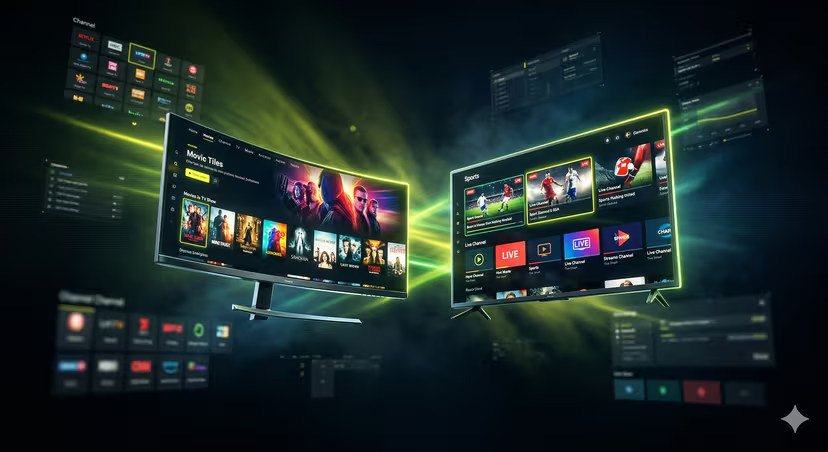
How to Watch World Cup 2026: Easy IPTV Setup for USA
The countdown to the FIFA World Cup 2026 has officially begun, and with North America (USA, Canada, and Mexico) co-hosting this monumental event, the excitement, particularly among fans in the United States, is palpable. As the biggest sporting spectacle on the planet approaches, football enthusiasts worldwide are already pondering the best ways to catch every thrilling moment, every goal, and every dramatic upset. For many, traditional cable subscriptions can be limiting, expensive, or simply unavailable, especially when seeking diverse international coverage. This is where IPTV (Internet Protocol Television) emerges as a game-changer, offering an unparalleled, flexible, and often more affordable solution. If you're in the USA and looking for an easy, comprehensive way to watch World Cup 2026, setting up IPTV could be your ultimate viewing strategy. Let's dive into how you can prepare for the greatest show on earth with a simple IPTV setup.
Understanding the World Cup 2026 Broadcasting Landscape for USA Viewers
For fans in the United States, the traditional broadcasters for the World Cup 2026 are expected to be FOX (English) and Telemundo (Spanish). While these channels will provide extensive coverage, they often come with a cable or satellite subscription requirement. Furthermore, relying solely on these might mean missing out on alternative commentary, international feeds, or specific regional coverage that a diverse audience might crave. Geo-restrictions can also be a headache for viewers traveling or those who want access to broadcasts from other countries. This is precisely why exploring alternatives like IPTV for World Cup 2026 is becoming increasingly popular. It offers a way to transcend these traditional barriers, providing a global window into the tournament.
What is IPTV and Why It's Your Best Bet for World Cup 2026?
IPTV stands for Internet Protocol Television, a system through which television services are delivered using the internet protocol suite over a packet-switched network, such as the internet, instead of traditional terrestrial, satellite signal, and cable television formats. Think of it as Netflix, but for live TV channels, often including a vast library of sports, movies, and international content.
Here’s why IPTV is an excellent solution for watching World Cup 2026:
Vast Channel Selection: A good IPTV service provider typically offers thousands of channels, including a plethora of live sports streaming options from around the globe. This means you can access not only US broadcasters but also channels from the UK, Canada, Europe, South America, and beyond, providing diverse commentary and coverage.
Cost-Effectiveness: Compared to expensive cable packages that bundle many unwanted channels, IPTV subscriptions are often significantly more affordable, giving you more bang for your buck.
Flexibility and Accessibility: You can watch IPTV on virtually any internet-connected device – your Smart TV, Amazon Fire Stick, Android TV box, Apple TV, computer, laptop, tablet, or smartphone. This means you can catch matches at home, on your commute, or anywhere with an internet connection.
High-Quality Streaming: Many IPTV services offer channels in HD and even 4K resolution, ensuring you don't miss any detail of the beautiful game.
On-Demand Content and EPG: Besides live TV, many services include video-on-demand (VOD) libraries and an EPG (Electronic Program Guide) to help you navigate schedules and plan your World Cup viewing.
Step-by-Step Guide: Easy IPTV Setup for World Cup 2026 (USA Focus)
Getting your IPTV setup ready for World Cup 2026 is simpler than you might think. Follow these steps to ensure a smooth viewing experience.
1. Choosing the Right IPTV Service Provider
This is arguably the most critical step. A reliable provider ensures stable streams and a wide selection of channels. When selecting, consider:
Reliability and Uptime: Look for providers known for minimal buffering and consistent service. Check reviews and forums.
Channel List: Ensure they offer a robust selection of sports channels, especially those likely to broadcast World Cup matches (e.g., beIN Sports, ESPN, BT Sport, Sky Sports, FOX Sports). Look for international options if you prefer diverse commentary.
Server Locations: Providers with servers closer to your region (USA) can offer better performance.
Customer Support: Good support is invaluable if you encounter any issues during the tournament.
Pricing and Trial Periods: Compare subscription models. Many offer short-term trials, which are excellent for testing stability and channel availability before committing to a longer plan.
Important Note: While many IPTV services offer legal content, some operate in a gray area or distribute copyrighted material illegally. Always research your chosen provider to ensure you're comfortable with their service's legality and reputation.
2. Essential Equipment and Internet Requirements
Before you even think about an IPTV app, ensure you have the necessary hardware and internet connectivity:
Stable Internet Connection: For HD streaming, a minimum speed of 20-30 Mbps is recommended. For 4K, aim for 50+ Mbps. A wired Ethernet connection is always preferable over Wi-Fi for stability, especially during peak viewing times.
Streaming Device:
Smart TV: Most modern Smart TVs (Samsung, LG, Sony, etc.) have app stores where you can download IPTV players.
Amazon Fire Stick/Cube: Extremely popular and affordable.
Android TV Box: Offers great flexibility and performance.
Apple TV: Compatible with various IPTV apps.
PC/Mac: Can stream directly through web players or desktop applications.
Smartphone/Tablet: Perfect for on-the-go viewing.
VPN (Virtual Private Network): A VPN is highly recommended for USA viewers. It encrypts your internet traffic, enhancing privacy, and can help bypass geo-restrictions or potential ISP throttling, ensuring you get the best connection to your IPTV provider's servers.
3. Setting Up Your IPTV Application/Player
Once you have a subscription and a device, you need an application to play the IPTV streams. Your provider will usually recommend one, or you can choose a popular option:
IPTV Smarters Pro: User-friendly, available on Android, iOS, Fire Stick, and Smart TVs. You'll enter your username, password, and server URL provided by your IPTV service.
TiviMate: Excellent for Android TV boxes and Fire Sticks, offering a premium experience with a great EPG.
VLC Media Player: A versatile player for PC/Mac, capable of playing M3U playlists.
Kodi: A media center that can be extended with IPTV add-ons for a comprehensive media experience.
The general setup process involves downloading the chosen app, then entering the credentials (username, password, server URL, or an M3U playlist URL) provided by your IPTV service provider. Many providers offer detailed setup guides for various devices, so refer to their instructions.
4. Finding the World Cup 2026 Channels
After your IPTV app is configured, navigating to the World Cup matches is straightforward:
Use the EPG: Most good IPTV apps feature an Electronic Program Guide that lists channels and their schedules. Search for "World Cup," "FIFA," or specific match times.
Browse Sports Categories: Channels are usually organized into categories. Look for "Sports," "Football," or "International Sports" sections.
Create Favorites: Once you find the channels broadcasting the games, add them to your favorites for quick access throughout the tournament.
Maximizing Your World Cup 2026 IPTV Experience & Troubleshooting Tips
To ensure you have the best possible viewing experience and avoid common pitfalls:
Combat Buffering: If you experience buffering, first check your internet speed. Try restarting your router. If using Wi-Fi, move closer or switch to an Ethernet cable. Use your VPN – sometimes a different server location can improve stream stability. Clear the cache of your IPTV app.
Utilize Your VPN Effectively: For USA viewers, a VPN is invaluable not just for privacy but also for accessing potentially geo-restricted feeds or finding the fastest routes to your IPTV provider's servers. Experiment with different VPN server locations for optimal performance.
Plan Your Viewing: With the EPG, you can often set reminders or schedule recordings (if your IPTV app supports it) so you don't miss any vital matches.
Maintain High Streaming Quality: In your IPTV app's settings, you can often select stream quality. While higher quality looks better, it consumes more bandwidth. Adjust as needed for your internet speed.
Stay Updated: Follow your IPTV service provider's announcements. They might inform you about new channels, server maintenance, or specific World Cup coverage plans.
Conclusion
The FIFA World Cup 2026 promises to be an unforgettable tournament, especially with the USA as a co-host. With a little preparation and the right tools, you can ensure you're perfectly positioned to enjoy every moment. By choosing a reliable IPTV service provider, setting up your preferred streaming device, and utilizing a VPN, you'll gain access to a world of football content far beyond traditional broadcasting limitations. The ease of IPTV setup and its unparalleled flexibility make it the premier choice for football fans everywhere, providing an affordable and comprehensive way to watch World Cup 2026. Get ready to cheer on your favorite teams; your ultimate World Cup viewing experience is just an easy IPTV setup away!
Ready to Start Streaming?
Get instant access to 15,000+ channels in 4K Ultra HD.
⚡ View Plans & Pricing