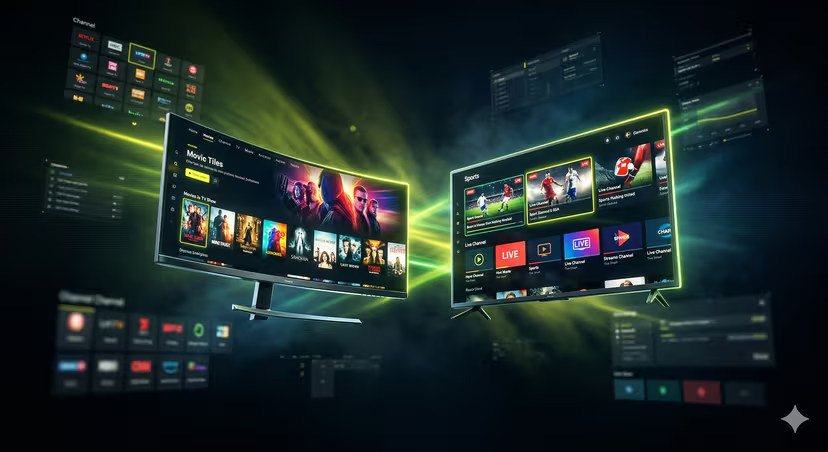
Best IPTV Players: Your Ultimate Streaming Hub Revealed!
In the rapidly evolving world of digital entertainment, IPTV (Internet Protocol Television) has emerged as a game-changer, offering a vast array of live TV channels, movies, and on-demand content directly to your devices over the internet. But to truly unlock the full potential of your IPTV subscription and transform your viewing experience, you need more than just a service provider; you need the right IPTV player. Think of it as the ultimate remote control and interface for your entire streaming universe. A good IPTV player doesn't just display content; it organizes, enhances, and personalizes your journey through countless channels and programs. This comprehensive guide will reveal the best IPTV players available today, helping you choose the perfect hub for your ultimate streaming pleasure.
Why a Good IPTV Player Matters for Your Streaming Experience
While your IPTV provider delivers the content, it's the IPTV player that makes it accessible, enjoyable, and easy to manage. Without a dedicated player, you might be stuck with clunky web interfaces or basic media players that lack essential features. Here’s why investing time in choosing the right player is crucial:
Enhanced User Interface: A well-designed player offers an intuitive and visually appealing interface, making it easy to navigate through thousands of channels and VOD (Video On Demand) titles.
Superior Channel Management: Organize your favorite channels, create custom groups, and quickly find what you want to watch without endless scrolling.
EPG (Electronic Program Guide) Integration: A robust EPG allows you to see what's on, what's coming up, and even schedule recordings, just like traditional TV guides but often with more detail.
Multi-Format Compatibility: The best players support various IPTV formats, including M3U playlists, Xtream Codes API, and more, ensuring compatibility with most IPTV providers.
Customization Options: Personalize themes, layouts, and playback settings to suit your preferences, creating a truly unique streaming environment.
Stability and Performance: Dedicated players are often optimized for smooth playback, reducing buffering and improving overall streaming quality.
Key Features to Look For in an IPTV Player
Before diving into specific recommendations, understanding the essential features will help you identify what truly matters for your streaming habits.
User Interface and Navigation
An intuitive and aesthetically pleasing interface is paramount. Look for players that offer clear menus, easy search functions, and smooth transitions. The ability to customize layouts and themes is a bonus.
EPG (Electronic Program Guide) Support
This is arguably one of the most important features. A good EPG should display program information, start/end times, and allow you to browse upcoming shows. Support for various EPG formats (like XMLTV) is a plus.
Multi-Format Compatibility
Ensure the player supports the format provided by your IPTV service. Most services use M3U playlists or the Xtream Codes API. Some players also support local file playback or other streaming protocols.
Customization and Personalization
The ability to create favorite lists, group channels, change themes, and adjust playback settings significantly enhances the user experience. Some players even allow custom channel logos or background images.
Cross-Device Support
Do you stream on multiple devices? Look for players compatible with your smart TV (Android TV, Apple TV, webOS, Tizen), smartphone (Android, iOS), tablet, PC (Windows, Mac), or even Firestick devices. A player that syncs your settings across devices is a huge convenience.
Ad-Free Experience (Premium)
While many excellent IPTV players offer free versions, premium subscriptions often provide an ad-free experience, advanced features like multi-screen viewing, catch-up TV, or even VPN integration. Consider if these extras are worth the cost for uninterrupted streaming.
Top IPTV Players You Should Consider
Based on performance, features, and user reviews, here are some of the best IPTV players that can elevate your streaming game.
GSE Smart IPTV
Overview: A highly versatile and feature-rich player available across multiple platforms, including Android, iOS, Apple TV, and Android TV boxes. It supports various formats, including M3U and Xtream Codes.
Pros: Excellent multi-platform support, user-friendly interface, built-in EPG, Chromecast support, and parental control options. It can handle multiple playlists effortlessly.
Cons: The free version includes ads, and some users might find the initial setup slightly more involved than simpler players.
Best For: Users looking for a robust, cross-platform solution with extensive format support.
TiviMate IPTV Player
Overview: Widely regarded as the king of IPTV players for Android TV devices (including Firestick). TiviMate offers an unparalleled EPG experience and a highly intuitive interface designed for large screens.
Pros: Stunning user interface, comprehensive EPG with catch-up TV support (premium), recording capabilities, multi-playlist support, and excellent performance. The premium version unlocks a wealth of advanced features.
Cons: Primarily for Android-based devices; not available on iOS or Windows natively. The best features are behind a paid subscription.
Best For: Android TV and Firestick users who prioritize a premium, EPG-centric experience.
VLC Media Player
Overview: The legendary open-source media player known for playing almost anything. While not a dedicated IPTV player, VLC can certainly handle M3U playlists and stream IPTV channels.
Pros: Free, open-source, available on virtually every platform (Windows, Mac, Linux, Android, iOS), and supports a vast array of codecs and streaming protocols. Simple to use for basic IPTV streaming.
Cons: Lacks advanced IPTV features like a dedicated EPG, channel grouping, or PVR capabilities. The interface isn't optimized for IPTV browsing.
Best For: Casual users who need a free, universally compatible player for basic IPTV streaming without advanced features.
Perfect Player IPTV
Overview: Another popular choice for Android and Windows users, Perfect Player offers a clean interface and good EPG integration.
Pros: Customizable interface, good EPG support, works well on Android TV boxes, and supports M3U and XSPF playlists. Free to use.
Cons: The user interface, while functional, might not be as modern or slick as TiviMate. Some users report occasional stability issues compared to premium alternatives.
Best For: Android TV box and Windows users seeking a free, feature-rich player with EPG support.
Kodi
Overview: Kodi is an incredibly powerful open-source media center that can be transformed into an IPTV hub through various add-ons (like PVR IPTV Simple Client).
Pros: Highly customizable, supports a vast range of media, and has a thriving community developing numerous add-ons for IPTV, VOD, and more. Available on almost all platforms.
Cons: Can have a steep learning curve for beginners, and setting up IPTV requires installing and configuring specific add-ons. Performance can vary depending on the device and add-ons used.
Best For: Tech-savvy users who want a comprehensive media center and are willing to invest time in customization.
Practical Tips for Optimizing Your IPTV Streaming
Even with the best IPTV player, a few simple tips can significantly enhance your overall streaming experience.
Choose a Reliable IPTV Provider
Your player is only as good as the content source. Invest in a reputable IPTV provider that offers stable streams, a wide selection of channels, and responsive customer support. Research and read reviews before committing.
Ensure a Stable Internet Connection
IPTV relies heavily on your internet speed and stability. For HD content, a minimum of 20-30 Mbps download speed is recommended. For 4K, aim for 50 Mbps or higher. A wired Ethernet connection is always superior to Wi-Fi for consistent performance.
Regularly Update Your Player and Device
Keep your IPTV player app and your streaming device's operating system updated. Updates often include bug fixes, performance enhancements, and new features that can improve your viewing experience.
Organize Your Playlists
If your player allows it, take the time to organize your channels into logical groups (e.g., "Movies," "Sports," "News," "Favorites"). This will save you a lot of time and frustration when browsing.
Use a VPN (Optional, but Recommended)
A Virtual Private Network (VPN) can help you bypass geo-restrictions, prevent ISP throttling (where your internet provider intentionally slows down your streaming), and enhance your online privacy and security while accessing IPTV services.
Conclusion
Selecting the right IPTV player is a pivotal step in mastering your streaming setup. Whether you prioritize a sleek interface, comprehensive EPG, cross-device compatibility, or advanced customization, there's a perfect player out there for you. From the multi-platform flexibility of GSE Smart IPTV to the Android TV prowess of TiviMate, or the universal appeal of VLC, each player offers a unique set of advantages. By understanding your needs and leveraging these top recommendations and practical tips, you can transform your IPTV experience from basic viewing into a truly personalized and ultimate streaming hub. Dive in, experiment, and enjoy a new era of digital television!
Ready to Start Streaming?
Get instant access to 15,000+ channels in 4K Ultra HD.
⚡ View Plans & Pricing